ActiveWords works across Windows, including at the Windows Desktop and in places where there is no active text cursor. Windows or some programs may play the default system sound when you type where no cursor input is expected.
Turn Off the Default Beep
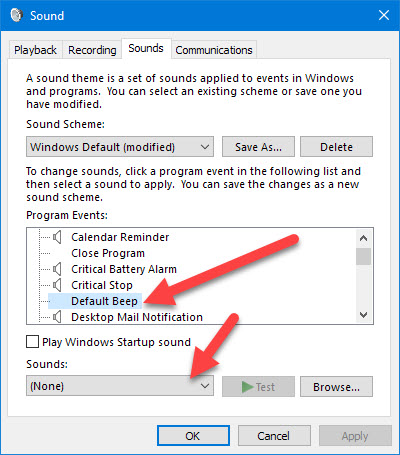
- Search Windows Settings for Change System Sounds.
- Scroll to Default Beep in the Program Events section.
- Select the Sounds menu.
- Scroll to the top and select (None).
- Click OK.