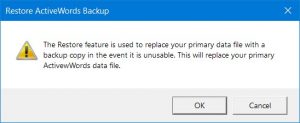
It is highly unlikely that your ActiveWords data will become unusable, but abrupt power interruptions and system crashes can result in database problems.
If you need to recover your data file, restore from an ActiveWords data backup.
Restore an ActiveWords Backup
- Turn on Advanced Options by checking Show advanced tools and options in the Preferences tab of the Options dialog.
- Right-click the ActiveWords icon and select Advanced → Restore.
- The file browser opens to the ActiveWords data backup folder.
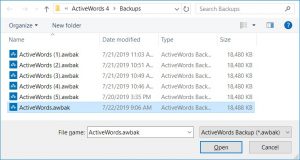
- Select the most recent data backup file and press Enter.
- Click OK on the Restore ActiveWords Backup dialog.