Addins are sets of Words and Actions built for specific programs or purposes. Addins use the .awdb file extension and insert their content into your local ActiveWords data when opened.
Install an Addin
You can find free Addins on the ActiveWords Addins page. Open an Addin file to add its Words and Actions to your current ActiveWords installation.
Example Addin
The English Misspellings Addin includes over 3,400 Actions that automatically correct over 5,300 commonly misspelled English words as you type.
Find Addin Content Later
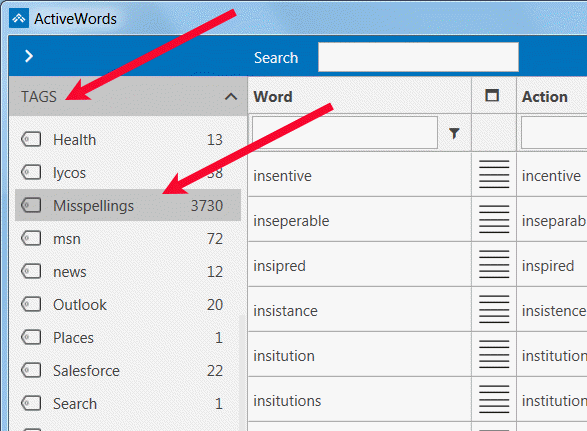
Each Addin includes a Tag so you can locate, review, and edit its Words and Actions as needed.