
Support and Learn
This page covers virtually all support issues for the latest version of ActiveWords and access to free email support.
Please take some time and first look in our FAQs below.
If you can't find what you are looking for you can create a new ticket or view my open tickets
For help with ActiveWords 4 click here.
Search All Topics
Most Viewed
All Topics
ActiveWords monitors visible text input in the Text Monitor, but automatically stops monitoring when the cursor is in a password field.

Password Field Protection
When ActiveWords identifies a password field, it turns off the Text Monitor and prevents ActiveWords substitutions from using the Windows Clipboard. This helps avoid displaying passwords as you type.
This feature is automatically enabled for Windows programs and popular browsers on supported Windows versions. It can be turned off in the Advanced Options tab if you want passwords to appear in the Text Monitor as they are typed.
See It In Action
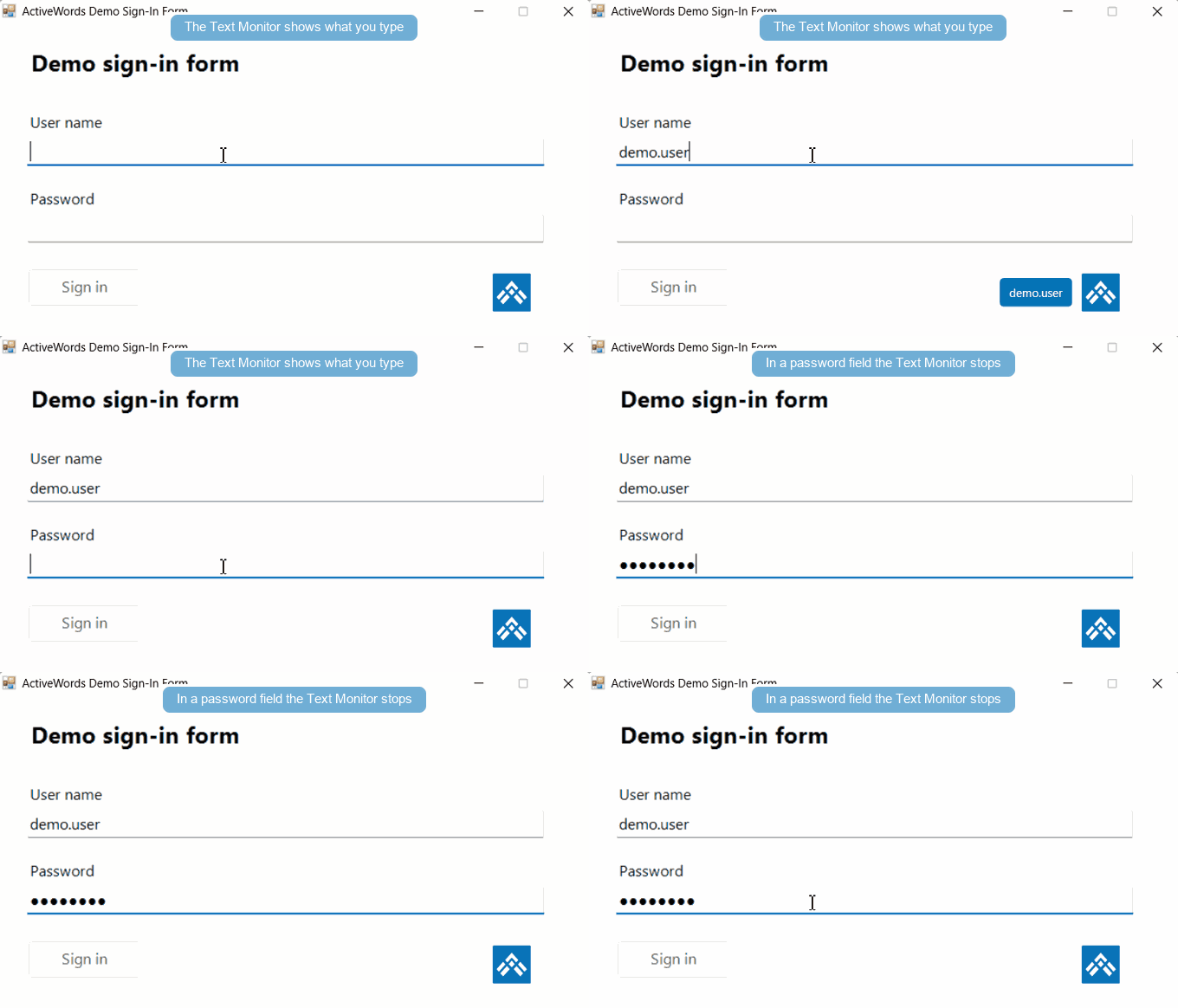
Note: ActiveWords relies on documented methods for password field identification.
