Support and Learn
This page covers virtually all support issues for the latest version of ActiveWords and access to free email support.
Please take some time and first look in our FAQs below.
If you can't find what you are looking for you can create a new ticket or view my open tickets
For help with ActiveWords 4 click here.
Search All Topics
Most Viewed
All Topics
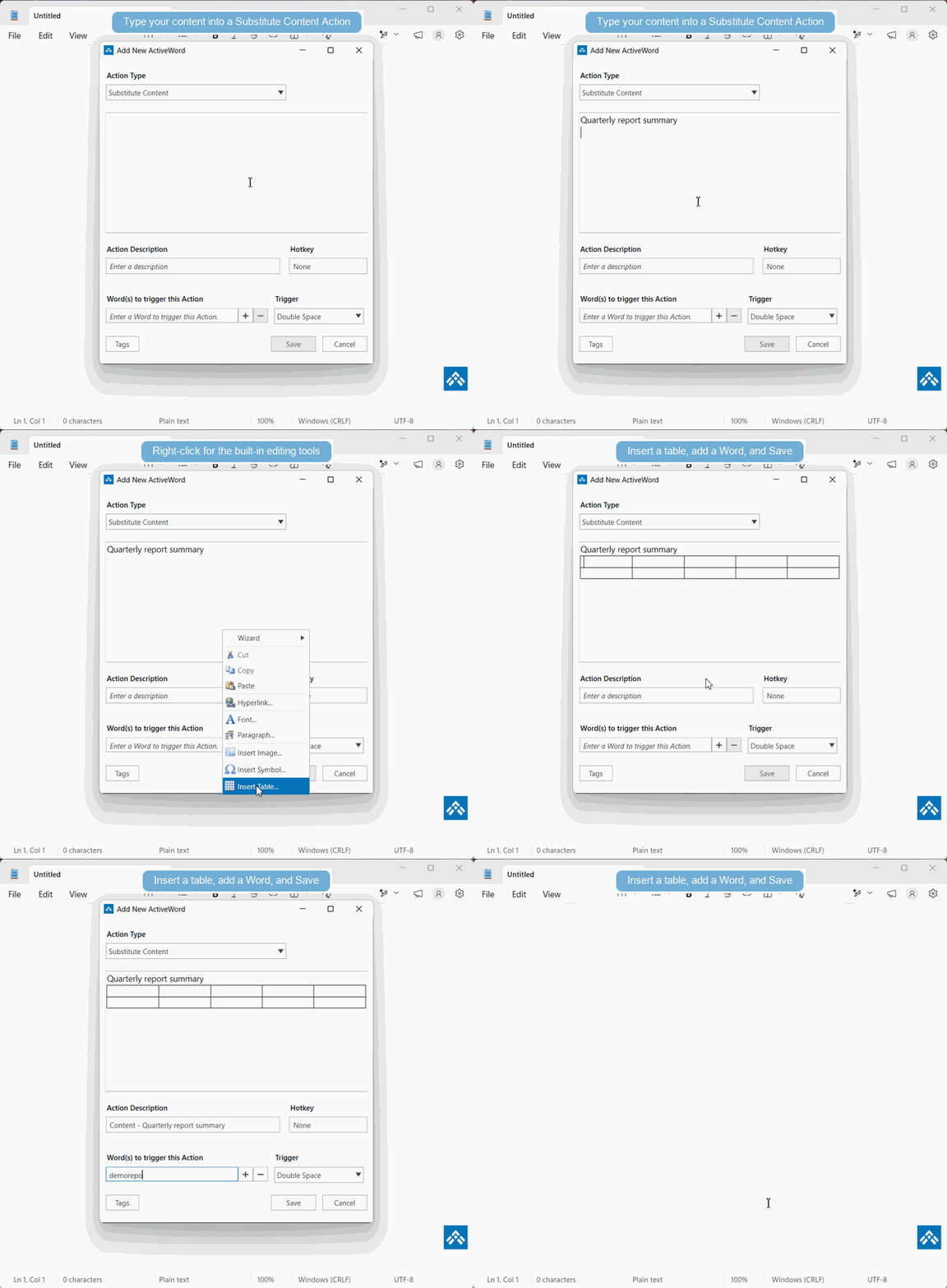
Drag and drop is a quick way to create Substitute Content Actions, but sometimes the imported formatting is not exactly what you need. You can manually create or edit Substitute Content Actions using the tools built into ActiveWords.
When To Edit Manually
- Web page or document formatting does not paste cleanly.
- You need to adjust text, spacing, links, or images after creating the Action.
- You want more control than drag and drop provides.
See It In Action