You can create Words and Actions by dragging files, folders, programs, selected text, web content, or images to ActiveWords. You can also copy and paste selected content into an Action field.
Common Drag and Drop Uses
- Drag files, folders, and programs to the ActiveWords icon to create Actions for opening them.
- Drag multiple files, folders, or programs at the same time to quickly add multiple Words and Actions.
- Drag selected content to the ActiveWords icon to create a new Action.
- Drag or paste selected content into an Action field to create Substitute Text or Substitute Content Actions.
See It In Action
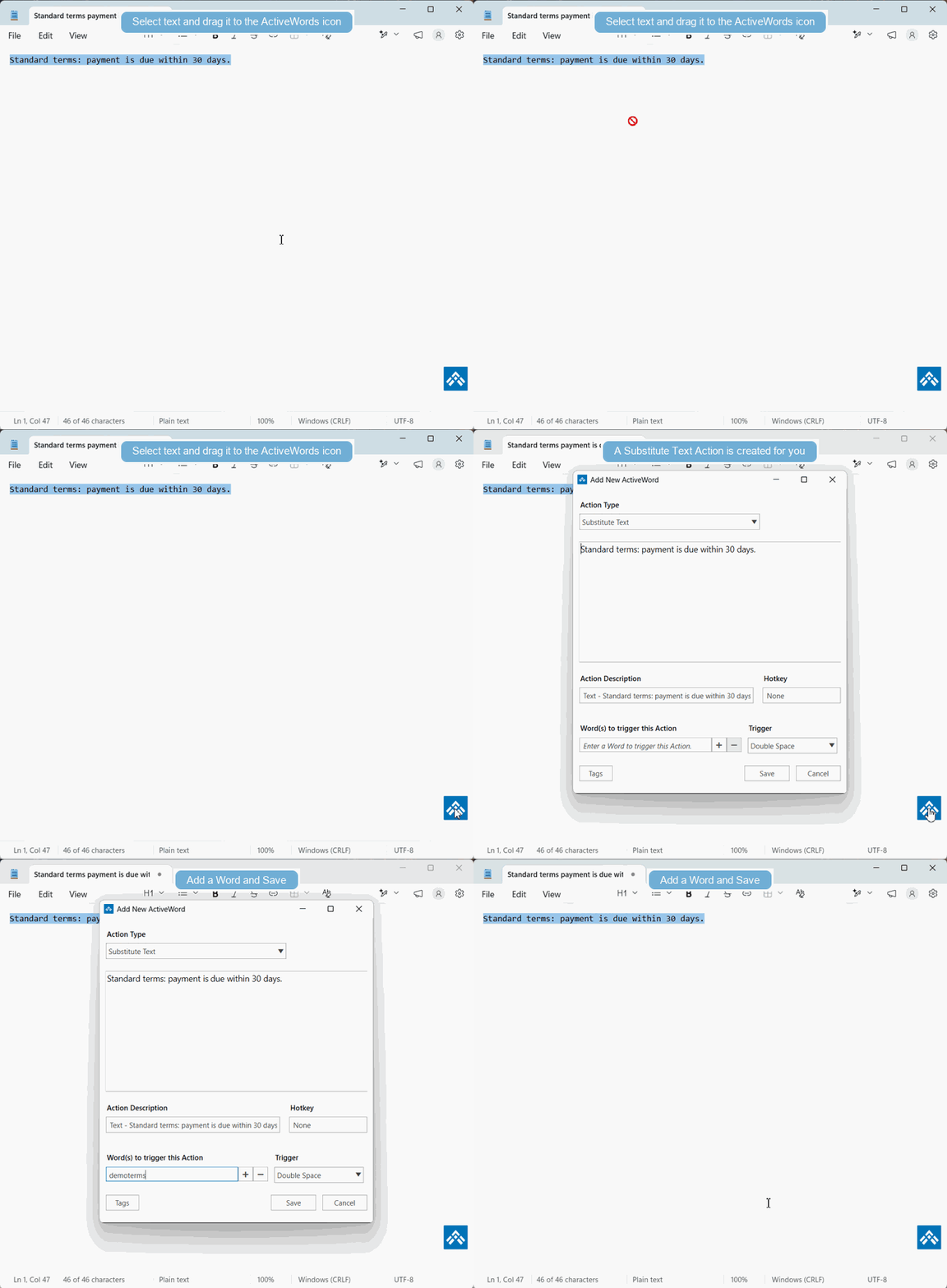
Drag and Drop Reference
Drag'n drop to the Icon* | ||||||
| Drag'n drop Selected Content** | No Modifier Key | Control | ||||
| All Programs | Substitute Text | Substitute Content | ||||
| Drag'n drop browser Bookmark | No Modifier Key | |||||
| Chrome | Open Web Page | |||||
| Firefox | Open Web Page | |||||
| Edge | Not Supported | |||||
| Drag'n drop browser Address Bar URL | No Modifier Key | |||||
| Chrome | Open Web Page | |||||
| Firefox | Open Web Page | |||||
| Edge | Not Supported | |||||
| Drag'n drop Selected Content (Mixed Text, Links, Images**) | No Modifier Key | Control | ||||
| Chrome | Substitute Text | Substitute Content | ||||
| Firefox | Substitute Text | Substitute Content | ||||
| Edge | Substitute Text | Not Available | ||||
| Word Processor/Other Programs | Substitute Text | Substitute Content | ||||
| Drag'n drop Single Image from Web Page ** | No Modifier Key | Control | ||||
| Chrome | Substitute Content | Open Image Link | ||||
| Firefox | Substitute Content | Open Image Link | ||||
| Edge | Open Web Page | Open Web Page | ||||
| Drag'n drop Files | No Modifier Key | Control | ||||
| jpg | Substitute Content | Open File | ||||
| jpeg | Substitute Content | Open File | ||||
| gif | Substitute Content | Open File | ||||
| bmp | Substitute Content | Open File | ||||
| png | Substitute Content | Open File | ||||
| Drag'n drop Files | No Modifier Key | Control | Control Shift | |||
| html | Substitute Text | Substitute Content | Open File | |||
| docx | Substitute Text | Substitute Content | Open File | |||
| rtf | Substitute Text | Substitute Content | Open File | |||
| txt | Substitute Text | Substitute Content | Open File | |||
| Other file types | Open File | Open File | Open File |
Important Details
- Some programs, such as Excel, support copy and paste into the Action field of a Substitute Content Action but do not support drag and drop of selected content.
- Edge and Internet Explorer do not support drag and drop to create Substitute Content Actions. Use copy and paste into the Substitute Content Action field from Edge.
- Dragging only linked text from a browser creates an Open Web Page Action.
Note: Formatted content from different programs may not be an exact match in the Substitute Content Action field because source styles may not translate cleanly. You can edit the Action field to get the desired format. Learn more.
Note: Web content with links, images, and multiple content types may deliver different results depending on the browser and the design of the source page. You can edit the Substitute Content Action field after the content is added. Learn more.