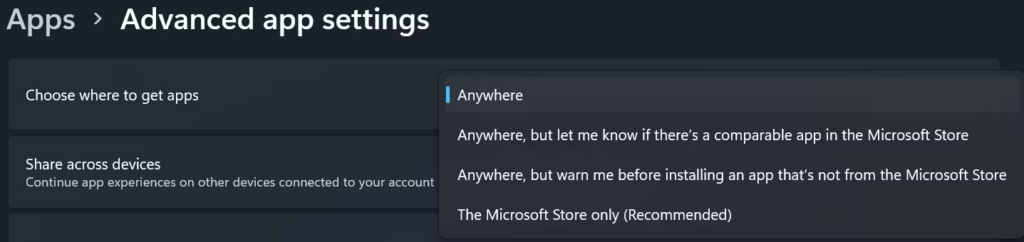
Windows can be configured to block installation of apps from outside the Microsoft Store. If that setting is enabled, Windows may show a message saying the app you are trying to install is not a Microsoft-verified app.
Allow Apps From Anywhere
To install ActiveWords, allow Windows to install apps from outside the Microsoft Store.
Windows 10
- Open the Settings app.
- Open Apps settings and select Apps and Features.
- Under Choose where to get apps, select Anywhere.
Windows 11
- Open the Settings app.
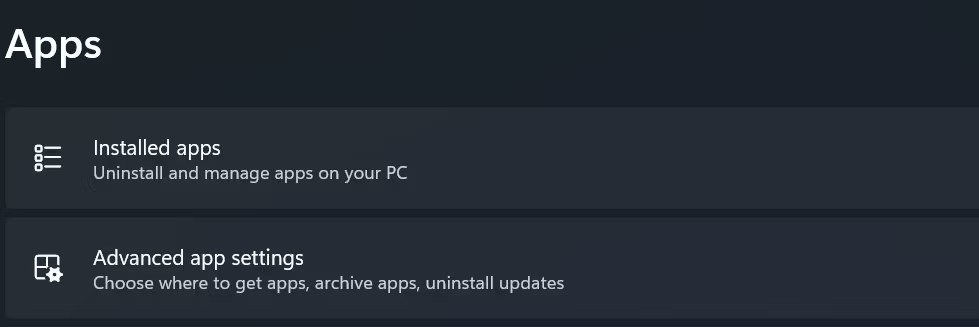
- Select Apps.
- Open Advanced app settings.
- Next to Choose where to get apps, select Anywhere.