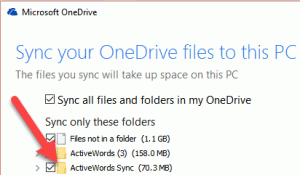
When using ActiveWords Sync with Microsoft OneDrive, make sure the ActiveWords Sync folder is kept locally on each computer. OneDrive may otherwise keep files online-only, which can interfere with sync reliability.
Keep the Sync Folder Local
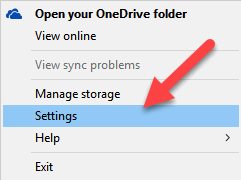
- After selecting OneDrive as the ActiveWords Sync cloud service, right-click the OneDrive system tray icon and select Settings.
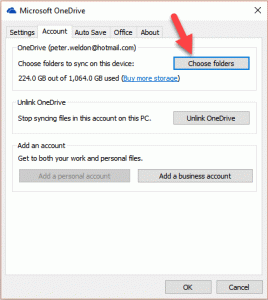
- Click Choose Folders.
- If it is not already checked, check ActiveWords Sync, then click OK.