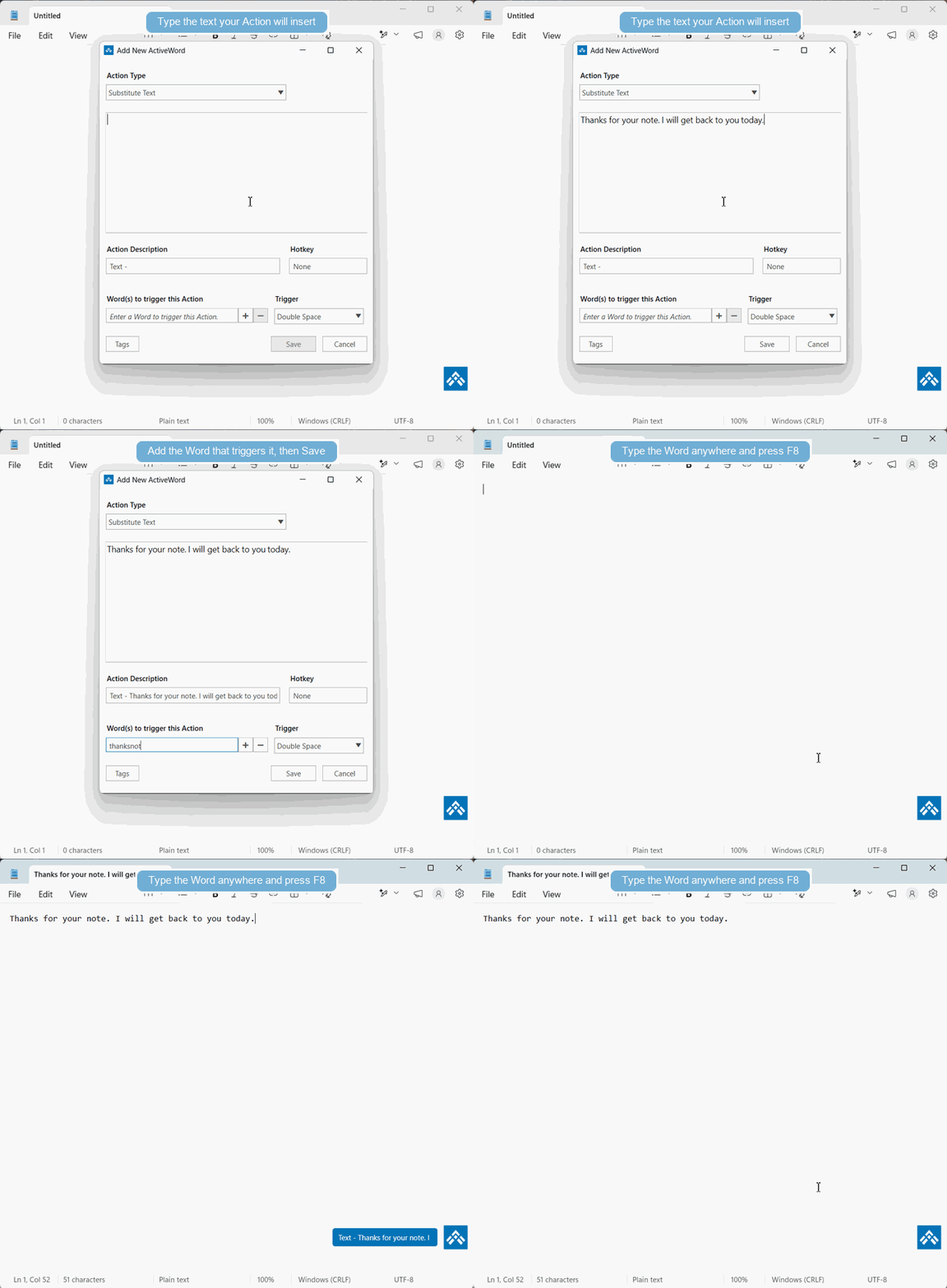
The key to getting value from ActiveWords is adding Words and Actions for the text, content, places, files, and programs you use all the time.
What To Add
- Text segments you type repeatedly, such as your name, email address, signature, or standard responses.
- Content you regularly use in your work, such as legal terms, professional language, formatted snippets, or reusable templates.
- Websites, files, folders, and programs you frequently open.
Trigger Words Anywhere
The Words you associate with these Actions can be entered and triggered at any time, regardless of context. This gives you instant access to what you want and, for text and content substitutions, helps ensure accuracy while reducing typing errors.
Ways To Enter Words
- Physical keyboard
- Virtual or touch keyboard
- InkPad, where you can ink or draw your Words
See It In Action